omega gets a desktop: one window, every instance
omega 0.19.0 is out. A native Windows app now holds the whole agent - embedded core, live switching between every omega you run, tray, toasts and a self-replacing updater. The CLI and webui stay exactly where they were.
Endo
omega's been two things so far. A CLI you live in, and a web UI you open in a browser tab.
The CLI is fine for work. But the browser path always felt slightly wrong for a thing you keep around all day. It lives in a tab. Tabs get closed. Sessions get lost behind them. You refresh and hope the state held. And none of it feels like an app you start in the morning and quit at night.
I already spend my day in chat apps. The agent should live like that too. Own window, own tray icon, starts with the machine, no browser in the way.
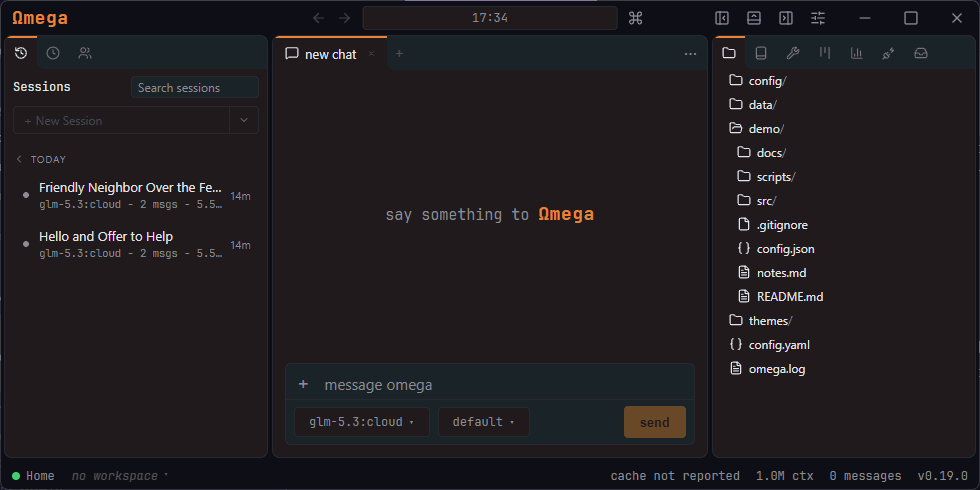
omega 0.19.0 is a native Windows desktop app.
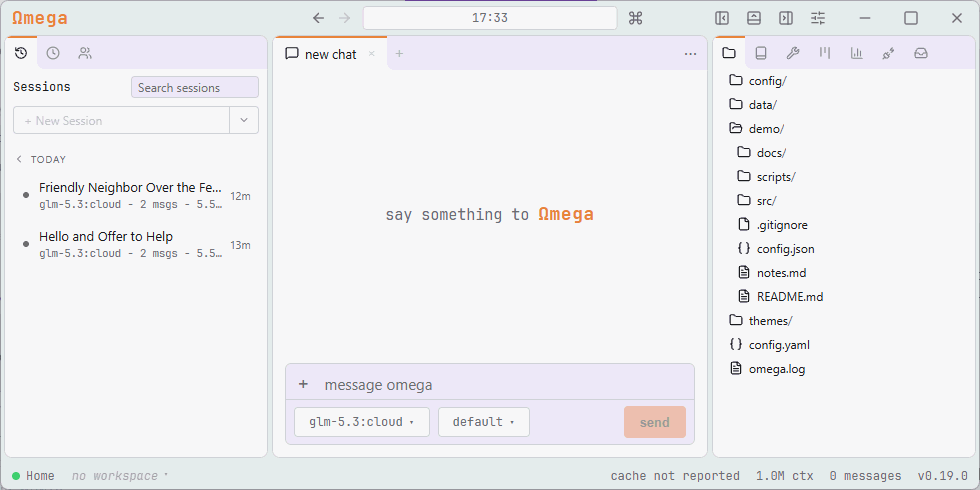
One window, one process. The app embeds omega's core as a Go library - the agent runs inside the app itself, no separate server to start or babysit. The shell is Wails v3, a thin Go wrapper around the web UI you already know. If you've used omega in a browser, you already know how the desktop looks. It's the same SPA, pinned inside a window that behaves.
The browser path didn't go anywhere. It still works exactly as it did. The desktop is a new front door, not a replacement.
The feature I actually built this for: instance switching.
I run more than one omega. One on this machine, one on the Pi in the corner. Before 0.19.0, that meant two browser tabs with two URLs and me remembering which is which. Now the saved connections live in omega's own store, each row carries a health dot, and the window flips between instances in one click. The dots come from one batch read, so a dead Pi shows up as a dead dot instead of a hang.
The switcher is a web UI feature, not a desktop trick - it works in the browser too. And when you add a connection, omega probes the address before the row lands, so typos die at the door instead of becoming mystery rows.
The small stuff that makes it an app:
- Lives in the tray. Toasts for local notices, right-click menu, the window closes to the tray and comes back.
- Starts with Windows, if you want it to. Tray toggle.
- The header is the title bar. No double chrome, the app draws its own window controls.
- The window shrinks to a 340x480 floor, so it parks beside whatever you're actually working on.
- A spawned server dies with the desktop that started it. No orphan processes after quit.
omega updatenow stages the new binary, boots from a copy so the running file is never locked, and supervises the swap. The app replaces itself while running.
The desktop is Windows, for now. The CLI and web UI still ship for everything - Linux, Linux-arm64 for the Pi crowd, macOS, both Intel and Apple Silicon, six platform archives on the release page. If you're not on Windows, nothing about your omega changed today.
The tray serves the local instance only. Remote events are a later thing, not this release.
And it's a first release. The shell wraps the current SPA - it's not a desktop UI built from scratch. That's deliberate. Wrap first, then judge what actually needs native treatment.
The numbers, measured on the tag: 23 features, 1 refactor, 22 fixes, 7 doc updates, 35 merges.
Windows desktop: download the windows-desktop archive from the release page, run install.ps1, and omega shows up in your Start Menu with an uninstall entry. Everyone else: same as always, extract the archive, omega setup once, omega update from now on.
The release page has all six archives and the full changelog.